KS0259 Keyestudio PN532 NFC/RFID Controller Shield
Introduction
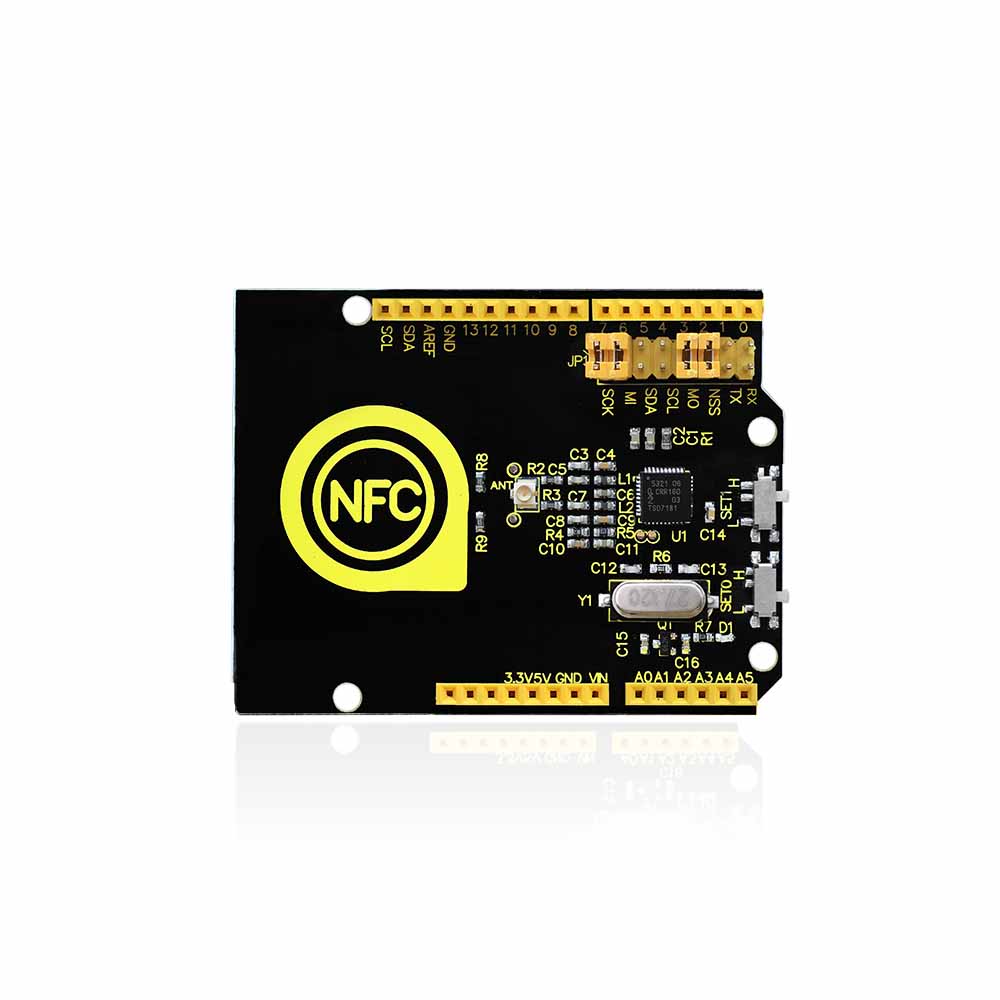
Keyestudio PN532 NFC/RFID Controller Shield based on PN532 chip is used for field communication close to 13.56MHz. This shield is equipped with an antenna onboard, so there is no external antenna coil. It is compatible with SPI, IIC, UART interface to communicate. When using it, directly stack it onto UNO R3 control board.
Performance Parameters
Chip:NXP PN532
Working Voltage:3.3V
Power Voltage:3.3~5.5V
Max Power Current:150mA
Working Current (standby mode): 100 mA
Working Current (write mode): 120 mA
Working Current (read mode): 120 mA
Pointer: PWR
The longest effective communication distance is 2.4 cm
Support SPI, IIC, UART interface switching.
Can be used for 13.56M non-contact communication.
Compatible with ISO14443 TYPE A and B standard.
Details:
Dimensions: 69mm x 54mm x 24mm
Weight: 18.3g

Interface Explanation:
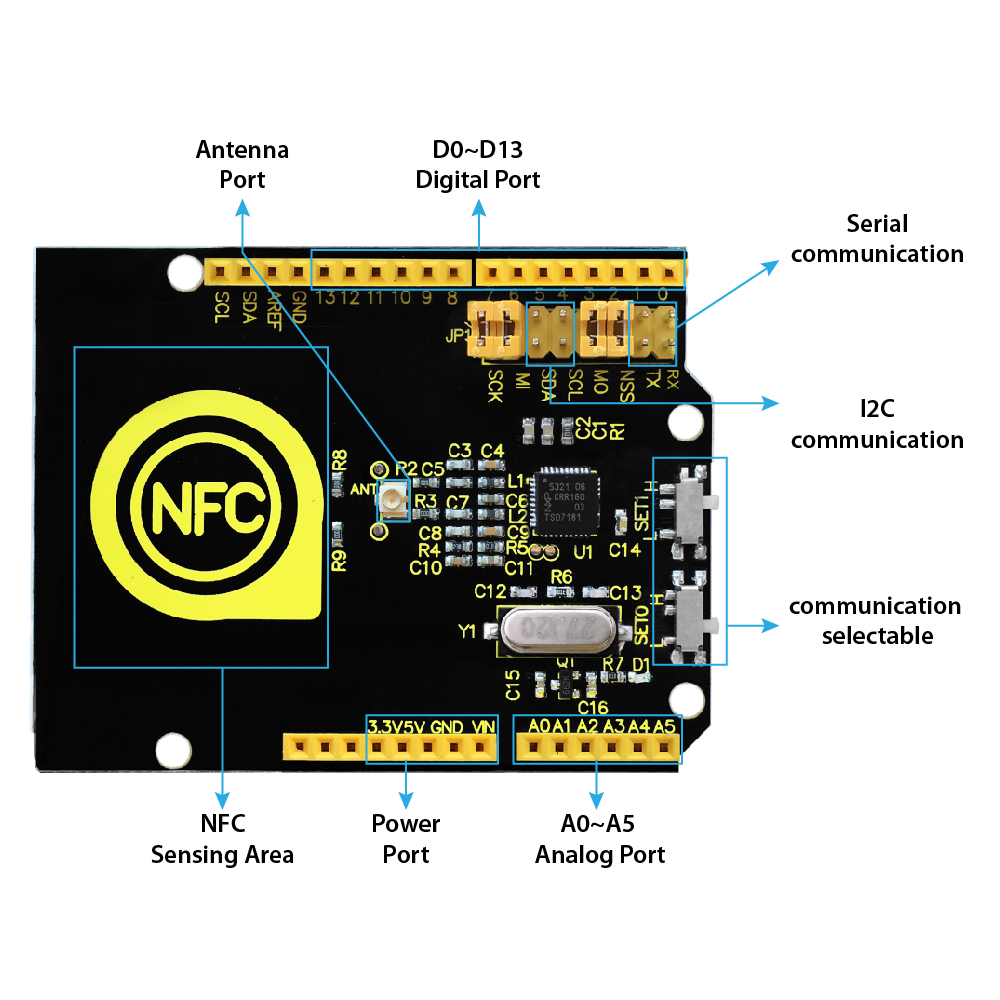
Interface Control:
There are two slide switches on the shield for you to select the interface mode:
SET0 |
SET1 |
|
|---|---|---|
UART |
L |
L |
SPI |
L |
H |
IIC |
H |
L |
Simple Hookup
Simply stack the shield onto UNO R3 board.
It uses SPI communication. Connect SCK, MI, MO and NSS on the shield with jumper cap. Then slide SET0 to L, SET1 to H.

Sample Code
Copy and paste the code below to Arduino IDE
Or click here to download the code
Click here to download the libraries PN532.h and SPI.h
****************************************************************************************
//This example reads a MIFARE memory block. It is tested with a new MIFARE 1K cards. Uses default keys.
//Contributed by Seeed Technology Inc (www.seeedstudio.com)
#include <PN532.h>
#include <SPI.h>
/*Chip select pin can be connected to D10 or D9 which is hareware optional*/
/*if you the version of NFC Shield from SeeedStudio is v2.0.*/
#define PN532_CS 10
PN532 nfc(PN532_CS);
#define NFC_DEMO_DEBUG 1
void setup(void) {
#ifdef NFC_DEMO_DEBUG
Serial.begin(9600);
Serial.println(“Hello!”);
#endif
nfc.begin();
uint32_t versiondata = nfc.getFirmwareVersion();
if (! versiondata) {
#ifdef NFC_DEMO_DEBUG
Serial.print(“Didn’t find PN53x board”);
#endif
while (1); // halt
}
#ifdef NFC_DEMO_DEBUG
// Got ok data, print it out!
Serial.print(“Found chip PN5”);
Serial.println((versiondata>>24) & 0xFF, HEX);
Serial.print(“Firmware ver. “);
Serial.print((versiondata>>16) & 0xFF, DEC);
Serial.print(‘.’);
Serial.println((versiondata>>8) & 0xFF, DEC);
Serial.print(“Supports “);
Serial.println(versiondata & 0xFF, HEX);
#endif
// configure board to read RFID tags and cards
nfc.SAMConfig();
}
void loop(void) {
uint32_t id;
// look for MiFare type cards
id = nfc.readPassiveTargetID(PN532_MIFARE_ISO14443A);
if (id != 0)
{
#ifdef NFC_DEMO_DEBUG
Serial.print(“Read card #”);
Serial.println(id);
#endif
uint8_t keys[]= { 0xFF,0xFF,0xFF,0xFF,0xFF,0xFF };
if(nfc.authenticateBlock(1, id ,0x08,KEY_A,keys)) //authenticate block 0x08
{
//if authentication successful
uint8_t block[16];
//read memory block 0x08
if(nfc.readMemoryBlock(1,0x08,block))
{
#ifdef NFC_DEMO_DEBUG
//if read operation is successful
for(uint8_t i=0;i<16;i++)
{
//print memory block
Serial.print(block[i],HEX);
Serial.print(” “);
}
Serial.println();
#endif
}
}
}
delay(500);
}
****************************************************************************************
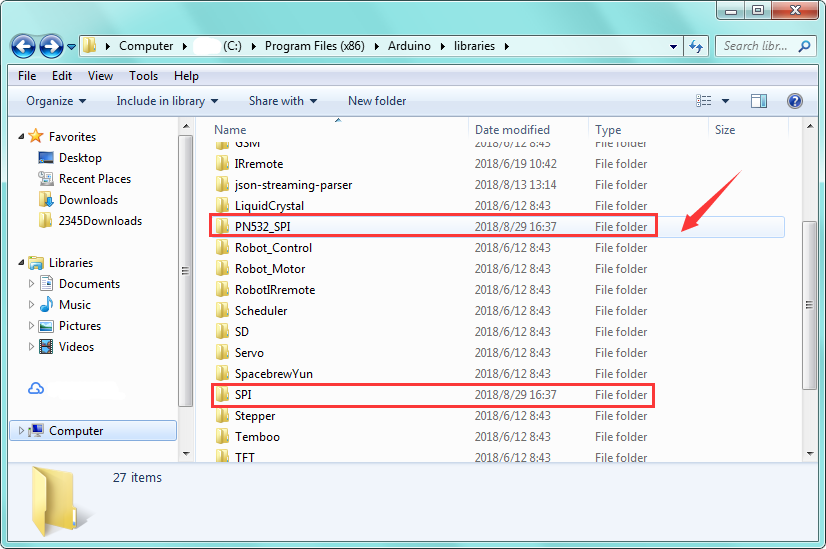
Note: Before compile the code above, do remember to add the libraries inside the libraries folder of Arduino IDE.
Test Result
Done uploading the above code, open the serial monitor.
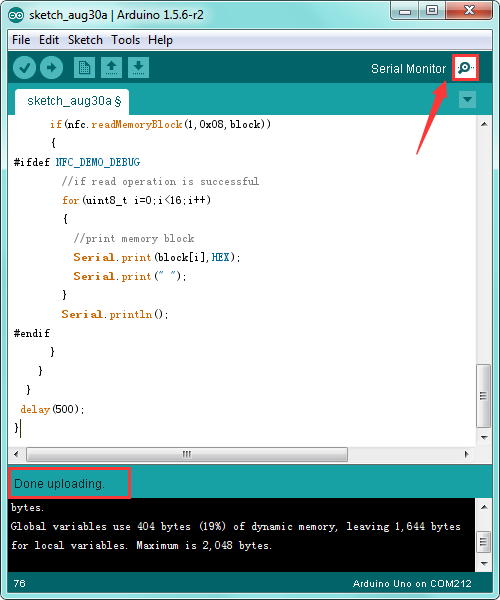
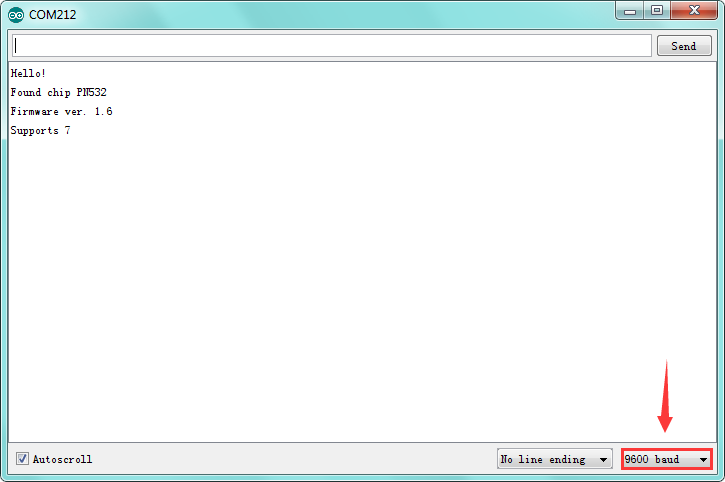
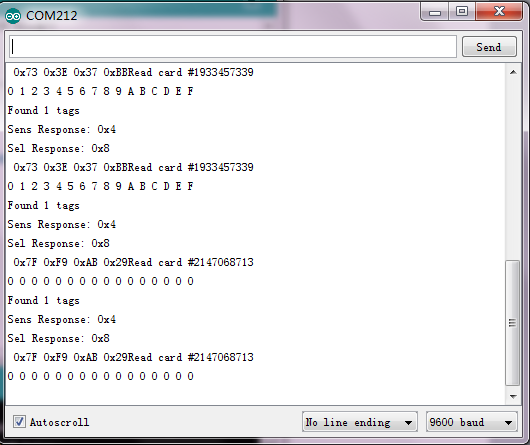
Then respectively use S50 white card and key chain to test the shield, you will get the information shown below.
Resource Links
Download code and libraries: